Inspiration

Before I start, I’d like to remind everyone that any info I give shouldn’t be taken as gospel. I’m pretty new to the whole design scene myself, so I’m sure there are many things that I do badly or just plain wrong. That said, I’m only going to give advice and resources that have worked well for me, so hopefully you’ll find them useful as well.

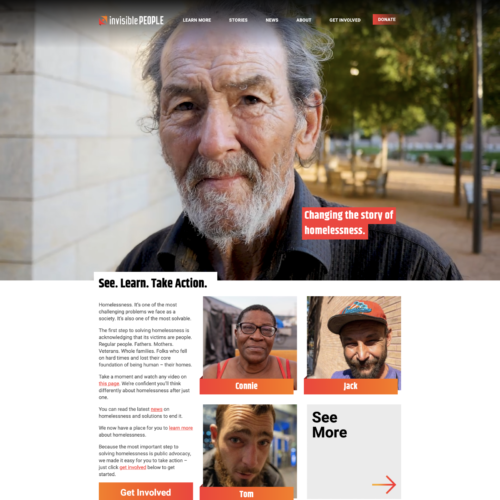
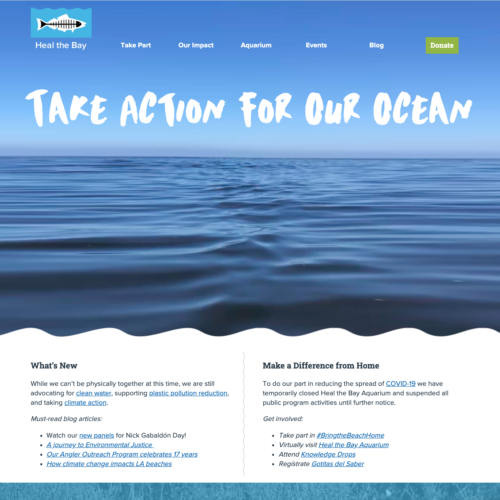
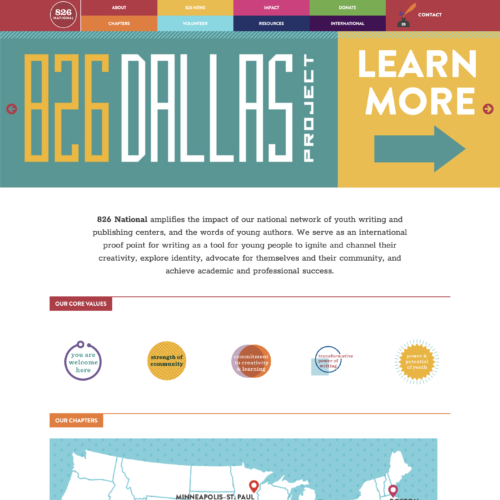
That said, I’d like to start by talking about inspiration. As a novice, I’ve found that one of the most valuable resources you can have is a hefty stack of materials to “borrow” ideas from. Not that I’m advocating stealing designs directly, obviously, but there’s nothing wrong with using a font or a color scheme that catches your eye.

It’s easy to find inspiration. Certainly there are plenty of sites (I’m partial to Inspiration Resource) but there are also plenty of resources close at hand. Gig flyers are free, easily acquired and often done by talented local designers. I like to grab a stack whenever I’m at a coffee shop and tack them onto a bulletin board near my workspace. I also put up random scraps of paper and ads that catch my eye – basically any aesthetic that you want to emulate.

Inspiration can come from anything, really. Think how many advertisements you’re exposed to in a day. Even if they don’t appeal to you, you can glean all sorts of usable information by looking at it as a design. Not the product and try to figure out what font is being used (What the Font is useful for this) and the message it sends. Look for aspects that have been Photoshopped and see if you know how to duplicate the technique. If it’s a flyer or a brochure, note the layout and the composition. I figure that most ads are designed by professional commercial designers, and what’s a better source than the pros?

Of course, commercial advertisements are only one aspect of design. My favorite way to get in touch with my creative side is through art prints. There are an amazing number of talented artists and designers out there that produce and sell beautiful art for your walls. Sites like OMG Posters and Gig Posters are great for finding artists that you like, and just browsing their portfolios should net you a lot of neat images and good ideas. It’s good to have role models.

Most prints are sold in small editions, so it’s worth checking these sites frequently if you’re interested in scoring one. Once again, I put these up around my workspace and spend idle moments checking them out, taking note of the techniques used and, well, getting inspiration.

Of course, all of this stuff can be found online as well. From my experiences, sites focused on inspiration that update regularly with good content are pretty rare. Obviously “good” is subjective, but it’s a lot easier to find sites that offer free textures and vectors. So, if you know of a quality site that offers up some daily inspiration, lemme know!

Posted in Inspiration, Tips for You | Leave a comment

Textures, brushes and Photoshop, oh my!

Textures are always one of those things that if used tactfully and well, add a nice touch to a project. For instance, that weathered-looking note looks nice when you’ve got it on weathered paper. Or maybe you’d like some grass in the background of a website or flyer for a fresh, green and inviting look.

It’s fun to photograph your own textures (like that hardwood floor that’s just the right color), but making textures can be just as fun. And they’re a good way to experiment with brushes and layers and layer modes.

There’s a fantastic tutorial about making easy grunge textures over on BittBox, and I used it to make this:

grungy texture

Kind of reminds me of a grungy, greasy window in an abandonded building. Or some broken-down building found in one of those shooter games my brother plays on the Xbox.

If you like the texture, you can download it here.

The BittBox tutorial has some great tips, and you can also download some hi-res brushes there if you don’t have any watercolor brushes or grungy ones. And again, there are some tips about using layer modes, and this is a good way to try and see what effects the different modes have.

Speaking of layer modes, there’s a handy article on just that topic over on Fudge Graphics. It’s a nice visual reference (we’re all mostly visual folks after all, right?).

Posted in Stuff We Make, Tips for You | Tagged , , , | Leave a comment

My epic build: Update No. 1

It’s been about a week since I first wrote about the Go Green California Business website project I’ve been working on. It’s been a bit hectic and insane, but the project is chugging along.

To recap, I had an Illustrator file that I had to take and convert it into a webpage. I got the CSS done for the most part and decided to make an HTML file so I could see my stylesheet in action:

homepage

Illustrator file

gogreensample

Screenshot of actual HTML. Click on this image to see the actual page and see all the rollovers and such.

Pretty close, huh? I did run into some problems because the original dimensions I gave the designers didn’t work (oops). Also, there are some CSS quirks across browsers (for instance, the top navigation bar has extra padding in Firefox and it’s screwy in Opera too). I only tested in Firefox, Safari and Opera. I’m sure seeing it in Internet Explorer will make me want to cry. But I figure that once the site is more complete, I’ll do all the cross-browser testing. (Joy.)

I mocked up several other templates for different pages, but the hard part of getting the CSS all straightened out is over for now. Making all the other templates was a piece of cake after that!

I have to say that working on this site was the first time I’d used Dreaweaver extensively since I upgraded to CS4. I like a lot of the new features. The “Live View” mode was especially useful because I could see my CSS in real time (though I still viewed in the browser to make sure!). That’s the biggest thing I noticed in the new Dreamweaver. And it seems to just run better. Firefox used to freak out after I viewed pages in it through Dreamweaver and it no longer does that. Yay.

Next up on the docket: Converting the HTML files into PHP files and making WordPress templates. Joy. Time for me to brush up on all my WordPress tags…

Posted in Projects | Tagged , , , , | Leave a comment

A big, juicy apple … in Photoshop.

Usually, I’m messing around and drawing things in Illustrator. But I came across this tutorial on PSDTuts one day about making an apple in Photoshop. Now, I always associate drawing things from scratch with Illustrator. But I gave the tutorial a whirl and came up with this:

Photoshop fun!

Pretty neat. (Of course, the tutorial called for making a green apple, but I’m more about red ones.)

It was quite a handy tutorial. Lots and lots of Gaussian blur used. But it was handy for knowing how to manipulate blurs to make things look more three-dimensional. Not to mention, all the tips on how to do the gradients and layer modes and the shininess of the apple were useful.

I was thinking I might try doing an orange next! Or maybe a whole series of fruit?

Posted in Tutorials We Do | Tagged , | Leave a comment

The cute, the cuddly and the bizarre.

I won’t lie — I’m a fan of cutesy Japanese-style characters. I liked Hello Kitty and My Melody and Kero Kero Keroppi when I was growing up. Heck, I could draw Hello Kitty in my sleep. It’s so simple. (Too bad it wasn’t my idea in the first place or I’d be rolling in dough right now.)

I’m still a fan of the super glassy eyes and bright colors and rotundness. That’s why I loved this post from VectorTuts that features 70 Cute and Cheeky Vector Animal Characters.

This was a favorite of mine:

68

There’s a lot of great inspiration in that post (not to mention a lot of really bizarre animals!). I’m hoping to draw a few characters myself, like I’ve been meaning to do for a while now. Maybe a squid. Or some crazy mushrooms. Or some cats. We’ll see.

There is also this awesome tutorial on drawing some stealthy ninjas over on SpoonGraphics that’s also worth checking out!

Posted in Inspiration | Tagged , , , | Leave a comment

One project down …

… only 20 million more to go? (OK, so maybe not nearly that many.) It’s always a nice sense of accomplishment, though, when you finally get something done.

Off the docket this time is the site for the Sacramento chapter of the Asian American Journalists Association (or AAJA Sacramento, as it’s better known). I’d worked on this one a while ago — it was another custom WordPress build — got it mostly done, then got really busy during the fall and left some stuff off, such as an event calendar and a photo gallery. (Hey, it was a volunteer project … and all the important stuff was working at least!)

Well, I finally put the finishing touches on the site last night, adding the photo gallery and event calendar and a contact form. Phew.

This is the site:

aaja1

I wound up using the NexGEN Gallery and Events Calendar WordPress plugins for the site. Really nice plugins. I especially recommend the NexGEN plugin … it was super snazzy!

Now, on to the other things on the docket …

Posted in Projects | Tagged , , , | Leave a comment

My epic build.

I do a lot of WordPress work, namely making use of it as a content management system. I figure it’s a great way for people to be able to update many parts of their sites without a lot of fuss.

My latest project is for the Sacramento Asian Pacific Chamber of Commerce, building a resource site for California businesses who want to go green. The site will be called Go Green California Business. The design was done by two other Sac City students, Priscilla Garcia and Vitaliy Zavorotny, and I’m now tasked with doing all the backend work. I have to say, it’s one of my larger projects to date.

Basically, I’ve got to take this:

homepage
(Click on the image for a larger version)

And then translate it into a lot of lovely CSS and stick in a lot of WordPress code. Oh, and there are about 15 pages. And a lot of other bells and whistles that need to be worked in (like a forum and calendar system, etc.). Magic, eh?

These projects are always a lot of fun, if not super taxing, but I’ll try to update the workings and process of taking the mockup and making it work on the Web.

And oh yeah, I have to get it done by Feb. 6. Yikes.

Posted in Projects | Tagged , , , | Leave a comment

Illustrator type tricks

It’s a new year and I was feeling the itch to create something. I ran into this dynamic text tutorial on BittBox and since I’m a big fan of type tutorials, decided to give it a whirl.

I didn’t use the pattern suggested in the tutorial, instead making my own patterns. But it was a great tutorial and pretty easy to follow. The results:

Illustrator fun!

Illustrator fun!I highly recommend checking out that tutorial; it could come in handy if you’re making flyers or postcards and want some tricked-out text.

Posted in Tutorials We Do | Tagged , , | 1 Comment

Welcome!

This is Dabbling in Design, the project of designers Jenn de la Fuente and Andrew Clementi. We love design. We love designing things. We love talking about design and trying things out. So we figured, heck, why not blog about the stuff we talk about anyway?

Here you’ll find the things we’re inspired by, tutorials we try out, the things we make and the projects we work on. We’re also graphic communication students at Sacramento City College, so we’ll occasionally write about school projects or questions we get asked by fellow students (I work as a tutor in the GCOM lab on campus, so I get lots of questions).

Hope you enjoy the trip.

Posted in Stuff We Make | Leave a comment